Rescroll

Chat with your saved videos

The AI that remembers every video you saved.

Save TikToks, Reels, Shorts and posts by link. Rescroll watches each one, then answers whatever you ask across all of them: what was that video about, which ones mention it, what could I make from these.

Start your library

The short answer

Is there an AI that remembers all the videos I saved?

Yes. Rescroll is an AI library for the videos you save. Paste a TikTok, Reel, YouTube Short or post link and it watches the video: what's shown, the text on screen, every word. Then ask across everything you saved, the way you'd ask a friend who watched it all (“that pasta video from last month, what were the ingredients?”), and the answer names the saved video it came from.

It's built for the questions a saved folder can't answer: which of my saved videos mention lower back pain, what do my saved fitness videos have in common, give me five ideas from what I've saved. Instagram's Saved and TikTok's Favorites keep the thumbnails. They can't tell you what was in the videos.

One thing it doesn't do is import the saves already sitting in Instagram or TikTok. Rescroll saves from links, so you bring in the ones that matter by pasting them, as many as you like, from your phone's browser or your computer. If moving a years-long backlog in one go matters most, Munvi and Findy can import one. Rescroll is for asking across what you save, from every platform at once.

Ask it like a friend who saw everything

You remember a little. It remembers the rest.

Three examples from one person's saves: the question, the answer, and the saved videos it came from. Every answer lists its sources.

  1. A detail you half-remember

    That pasta video I saved last month: what were the ingredients?

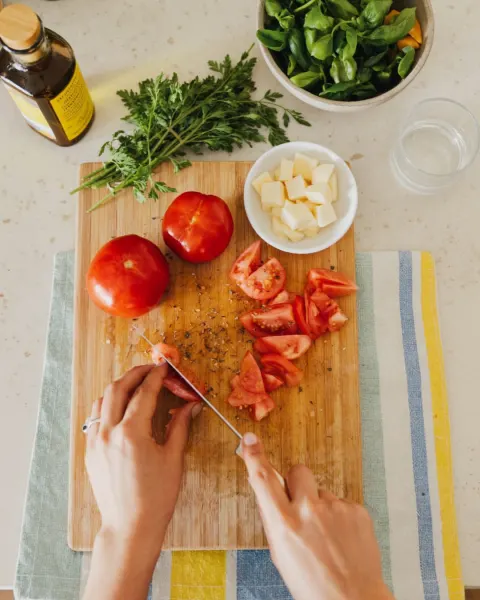
    It's the 15-minute cherry tomato pasta from @knifeandboard's Reel, saved on October 21. As they come up on screen: 400 g spaghetti, 500 g cherry tomatoes, 4 cloves of garlic, olive oil and chili flakes, a handful of basil, parmesan and salt.

    She also says to keep a cup of the pasta water: it's what turns the tomatoes into a sauce.

    Sources

    • Instagram Reel by @knifeandboard
    • Saved Oct 21

  2. Every save that mentions it

    Which of my saved videos mention lower back pain?

    Two do. @lift.with.jo's TikTok is about it: three slow moves for a stronger lower back, with the reps written on screen.

    @vanandpine's Reel mentions it in passing, after six hours of driving, and shows the stretch they do at every stop.

    Sources

    • TikTok by @lift.with.jo
    • Instagram Reel by @vanandpine
    • Saved Nov 21

    • Saved Nov 20

  3. Ideas from your own saves

    Give me 3 video ideas from the cooking videos I've saved.

    1. “Loaf 1 vs loaf 300”: a side-by-side, borrowing @crumbandcrust's count.

    2. “Cooking with a sous-chef who's three”: the kid-helps format from @sundaystack.

    3. “Dinner from $20 at the market”: Field to Fork's budget, ending on the plate.

    Sources

    • TikTok by @crumbandcrust
    • Instagram Reel by @sundaystack
    • Facebook reel by Field to Fork
    • Saved Nov 9

    • Saved Oct 29

    • Saved Oct 17

Saves come in by link. TikTok, Instagram, YouTube, X, LinkedIn, Facebook, Threads and Pinterest. Paste as many as you like at once.

On your phone: Share → Copy link in the app, then paste into Rescroll in your browser. There's no share-sheet button or extension yet.

Old saves aren't imported. Rescroll doesn't read your Instagram Saved or TikTok Favorites; bring the ones that matter by their links.

Examples: the creators are made up. In the app, Sources lists each saved video by platform and title.

Which plan

Start free. Ask your first saves today.

Saving videos and asking across them work on the free plan. Pro is for a library you use every day.

Free plan

  • Save TikToks, Reels, Shorts and posts by link, as many as your credits cover
  • Every short video watched: what's shown, the text on screen and every word
  • Ask across your whole library in the chat, with sources

Limits: 150 credits for 14 days, up to 40 chat messages a day, no web search; each video you save and each message uses credits.

Start on the free plan

Where Pro takes over

  • 2,500 credits a month, and no daily message cap
  • Web search in the chat, next to your library
  • AI carousels and image generation
  • Ultimate and Scale for libraries in the thousands

Pro is $20 a month billed yearly, or $29 monthly. Ultimate ($55 / $79) has four times the credits.

See plans and credits

The apps people ask about

SavedThat, Munvi, Findy, Fabric, mymind and Rescroll.

Each one from its own pages. Some import the saves you already have; Rescroll watches what you save and answers across all of it.

The apps people ask about: How you save, Your existing saves, What it reads in a video, Ask across your saves, Free use and price
ToolHow you saveYour existing savesWhat it reads in a videoAsk across your savesFree use and price
SavedThatShare sheet (iPhone, Android), a pasted link, or its Chrome extensionYouTube Watch Later from a Google Takeout file, on Pro+The words, transcribed; music-only clips by what's on screenOne video at a time in the app; the whole library through Claude, ChatGPT or CursorFirst 5 videos free; Power $16.99 a month or $122 a year
MunviAndroid share sheet and screenshots; iPhone “soon”Instagram Saved and TikTok Favorites, from each app's data exportThe words with their minute, on-screen text and the captionYes, “Ask Mun”, showing which saves it used3 cards and 3 questions a week after the first week; Pro $49.99 a year
FindyWeb app, Chrome and Firefox extension, Android shareBulk-imports Instagram, TikTok and Reddit saves through its extensionCaptions, page text and images; video speech not statedThrough your own AI assistant (MCP); no in-app chat statedNo free plan: 7-day trial, then $6 a month or $59 a year
FabricShare sheet on the phone, web clipper on desktopNot stated for Instagram or TikTokTranscribes the words in TikToks and ReelsYes, its assistant asks across saved TikToks and ReelsFree to start; Plus $8 a month billed yearly
DoomSaveA pasted link, or comment “@doomsave” on an Instagram post; web only for nowNot statedThe transcript where the platform has one; its guide adds key framesYes, with sources150 credits a month (15 saves or 30 questions); Pro $12.99 a month
ReelSaveShare sheet or a pasted link, iPhone and AndroidNot statedPulls out the recipe, the places and the key pointsYes, with the source shown25 saves a month; yearly plan $29.99 (App Store)
Later JarShare sheet, a pasted link, screenshots, a bookmarkletNot statedThe link, title, thumbnail and authorNo chat5 saves; Pro $2.99 a month or $19.99 a year
Raindrop.ioExtensions and apps everywhere; auto-saves X and YouTube favoritesImports from browsers and other bookmark appsYouTube's spoken words, on Pro; TikTok and Reels not statedStella (beta, Pro), linking each answer to its sourceUnlimited bookmarks; Pro $2.99 a month (App Store)
mymindShare sheet and browser extensionNo official mass importVideo links only; Instagram, TikTok and YouTube thumbnails can come in blankThrough Claude or ChatGPT (MCP, beta); no in-app chat stated100 cards; from $4.99 a month
SocialMarksExtension, installed web app or a pasted link; X, Instagram, YouTube and the webInstagram sync limited by Instagram's permissions, it saysNot statedNo chat; search by meaning “being prepared”First saves free; Pro on a waitlist
RescrollA pasted link, as many as you like, in your phone's browser or on your computer; no share sheet or extension yetNot imported: paste the ones you want (YouTube channels, 50 videos a page)Watches short videos: what's shown, the text on screen and every wordYes, across the whole library, by topic or by when you saved it, with SourcesFree plan: 150 credits for 14 days
Sources, checked November 22, 2026

What people ask their saves

Stop scrolling your saves. Ask them.

Each of these is one message in a Rescroll chat, answered from every video in your library.

“That pasta video I saved last month: what were the ingredients?”

The detail you half-remember

It finds the video from what you remember and when you saved it, then answers from what was said and what was on screen, down to the ingredients in the captions.

“Which of my saved videos mention lower back pain?”

Every save that mentions it

Across TikTok, Instagram, YouTube, X and the rest, whether it was in the caption, said out loud or written on screen, with a line on what each one says.

“What do my saved fitness videos have in common?”

The pattern in what you keep

The moves, formats and advice that keep coming up in a topic you've been saving for months, and the videos that say it best.

“Give me 5 video ideas from what I've saved about van life.”

Ideas from your own saves

New ideas built on the videos you kept for a reason, each pointing back to the save it grew from. Save a few of your own videos too and they come out in your voice.

Write hooks from your saves

“Sum up what I saved this month.”

A recap of your scrolling

Everything you saved lately, grouped by topic, with the one or two worth going back to in each.

“Which of my saved recipes are vegetarian and take under 20 minutes?”

Filters you never set up

Ask for the cut you need today. It reads the videos to decide, so you never had to tag anything when you saved them.

How it works

From saved link to answered question.

Five minutes to save your first batch and ask the first question.

  1. 01

    Save by link

    In TikTok, Instagram, YouTube, X, LinkedIn, Facebook, Threads or Pinterest, tap Share → Copy link and paste it into Rescroll, on your phone's browser or your computer. Paste as many as you like at once.

  2. 02

    It watches each one

    Every short video is watched as it's saved: what's shown, the text on screen and every word. Long YouTube videos are read from their captions.

  3. 03

    Ask across everything

    Open a chat and ask like you'd ask a friend who saw it all. It searches your whole library, by what you describe and by when you saved it, and lists the videos it used under Sources.

Three places your saves can live

A saved folder, a bookmark app, or a library that watched.

What each one does with a saved video, including where the others win.

Instagram Saved, TikTok FavoritesBookmark apps (Raindrop, mymind)Rescroll
Already has your old savesYesRaindrop imports your browser's bookmarksNot imported: paste the links
Saves in one tap from the appYesShare sheet or extensionCopy the link, paste it in
TikTok, Instagram, YouTube and X in one placeNoYesYes
Knows what was said and shown in each videoNoRaindrop: YouTube speech, on ProYes
Answers a question instead of listing linksNoRaindrop's Stella (beta, Pro)Yes
Finds a save by when you saved itBy scrolling backDate filtersAsk: “last month”
Free to useYesFree plansFree plan: 150 credits for 14 days

For rewatching, the apps' own saved folders are fine, and already full. A bookmark app is fine for links you'll file yourself. Rescroll is for when you want to ask what was in them.

Questions

Saved videos, searched and asked, answered.

Is there an AI that remembers all the videos I've saved?

Yes, for the videos you save to it. Rescroll watches every TikTok, Reel, Short and post you save by link, then answers questions across all of them and names the saved video each answer came from. It doesn't read the saves already in your Instagram or TikTok account; you bring those in by pasting their links.

Is there an AI assistant for my saved social media posts?

Rescroll is one. Save posts and videos from TikTok, Instagram, YouTube, X, LinkedIn, Facebook, Threads and Pinterest by link, and its chat answers from all of them at once: “which of my saves mention protein?”, “sum up what I saved this month”. Every answer lists its sources.

How do I search my saved TikToks?

Inside TikTok you can't: Favorites has no search box, so you scroll or open a Collection. To search by what a video said or showed, save its link to Rescroll and ask the chat in your own words (“the TikTok about lower back stretches”). It finds the video by what was said, shown or written on screen.

How do I search my saved Instagram posts and Reels?

Instagram's Saved section only sorts posts into collections; it can't search what was said in a Reel. Save the links to Rescroll and you can ask for one by what you remember of it, by topic, or by when you saved it, and get the Reel back with what it covered.

I saved a TikTok recipe last month and can't find it. How do I find it?

In TikTok, check Profile → the bookmark icon (Favorites) and your Collections, then your liked videos and watch history. If you'd saved it to Rescroll, you'd just ask: “that pasta recipe I saved last month: what were the ingredients?” It narrows by save date and reads the video for you.

How do I keep my saved Instagram posts from getting lost?

Keep a copy of what matters outside Instagram: a saved post is a bookmark, and it can disappear if the original is deleted or made private. Rescroll stores a copy of each Reel and TikTok video when you save it, with what it learned from it (the words, a description of what was on screen, the post's details), so it stays in your library if the post comes down.

Can Rescroll import my existing Instagram Saved or TikTok Favorites?

No. Rescroll saves by link, one post or as many links as you paste at once; it doesn't connect to your Instagram or TikTok account or read their data exports. Munvi imports both from the apps' data exports, and Findy bulk-imports them through its browser extension. YouTube is the exception on Rescroll: paste a channel and pick its videos, 50 a page.

Can I save to Rescroll from my phone?

Yes, by link. In the TikTok, Instagram or YouTube app, tap Share → Copy link, then paste it into Rescroll in your phone's browser. There's no share-sheet button or browser extension yet, so it's copy and paste, on the phone or on your computer, into the same library.

Does it actually watch the videos, or only read the captions?

It watches them. Short videos are analyzed when they're saved: what's on screen, the text overlays and every word spoken, so a recipe shown only in on-screen text is still found. A short video with no talking is known by what's shown. Long YouTube videos are read from their captions unless you tick detailed visual analysis.

Can it find a video by when I saved it?

Yes. Ask for “the video I saved last month” or “what I saved this week” and the chat narrows its search to those dates before it reads anything. Each save keeps the day you saved it, which the Library shows on its card.

Can it give me ideas from the videos I saved?

Yes, that's one of the best uses. Ask for five video ideas, a recipe plan or a workout from what you've saved, and it builds them on the saves you kept for a reason, naming the ones each idea came from. With a few of your own videos saved, it writes them in your voice.

Does the answer say which saved video it came from?

Yes. Every answer lists the videos it drew on under Sources, by platform and title, and usually names them in the text too. It can't point to the exact second: the chat reads each transcript without its times. Open the saved video to watch the part it describes.

What's a good mymind alternative for videos?

It depends on the job. mymind is lovely for visual bookmarks, but it saves video links without reading them, and Instagram, TikTok and YouTube links can come in with a blank thumbnail, its help pages say. Rescroll watches each saved video and lets you ask what was in it. For a simple watch-later queue, Later Jar is lighter.

What's a good SavedThat alternative?

Rescroll, if you want to ask across all your saves inside one app and have the visuals read too. SavedThat transcribes speech, answers about one video at a time in its app, and answers across your library through Claude, ChatGPT or Cursor. Rescroll's chat answers across the whole library itself, from what was said and shown.

What's the best app to chat with my saved TikToks and Instagram Reels?

For saves from many platforms at once, with the visuals read and not just the speech, Rescroll. For moving a big existing backlog of Instagram saves or TikTok Favorites in one go, Munvi (Android) or Findy, which import them. ReelSave and DoomSave also answer questions about your saves.

What's the best bookmark app for social media videos in 2026?

If you only need to find a link again, Raindrop.io is the classic: its free plan keeps as many bookmarks as you like, on every platform. If you want to know what's in each video and ask about it later, use an app that watches them: Rescroll does that for TikTok, Instagram, YouTube, X, LinkedIn, Facebook, Threads and Pinterest.

What's the best app to save recipes from TikTok and Instagram?

For a recipe box with a grocery list, a recipe app like ReciMe or Deglaze. If your recipe saves sit among workouts, trips and everything else, Rescroll keeps them in one library and answers from the video itself: ingredients from the on-screen text, the tip said halfway through, the ones under 20 minutes.

How do I save workout videos from TikTok and keep them organized?

Save each one's link to Rescroll and skip the filing: ask for what you need when you need it. “Give me a 20-minute leg workout from my saves”, “which saved videos are for lower back pain?”. It reads every video, so the organizing happens when you ask.

Where should I keep inspiration videos for my content?

Somewhere you can ask, not only scroll. Saved folders fill up fast and Notion only knows what you type about each link. In Rescroll each saved video is watched, so you can ask which openings keep working or for ideas in your style. For ads and hooks for a brief, see the video swipe file page.

Can I use ChatGPT with the videos I've saved?

Not directly: ChatGPT can't see your Instagram or TikTok saves, and it doesn't watch a video from its link. You'd have to paste transcripts in one by one. Rescroll does that part for you: it watches every video you save and keeps them, so one chat can answer across all of them.

Which platforms can I save from?

TikTok, Instagram (Reels, posts and carousels), YouTube (videos and Shorts), X, LinkedIn, Facebook, Threads and Pinterest, plus web pages, single ads from the Meta, TikTok, Google and LinkedIn ad libraries, and files you upload. All in one library, and one chat answers across them.

Is Rescroll free?

There's a free plan: 150 credits for 14 days and up to 40 chat messages a day, without web search. That's enough to save a first batch of videos and ask across them. Paid plans start at $20 a month billed yearly ($29 monthly) for Pro, with 2,500 credits a month; Ultimate is $55 / $79 with 10,000 and Scale $139 / $199 with 30,000.

Stop scrolling.
Start posting.

Decode every Reel. Generate every visual. Post in any style you feed it. Everything you saved is one click away.

Start Your Library