“Summarize this video.”
A summary of the video, not the caption
The point, the structure and the key moments — from what's said and what's shown, so nothing is invented from the title.

Chat with social media
Paste the link and ask anything. Rescroll watches the video — what's said and what's on screen — so the answers come from the video, not a guess from the caption.
Reads everything
Drop a URL. The AI watches every video you save — reads the on-screen text, transcribes the audio, takes in every slide. The others don't even open it.
| Paste this URL | ChatGPT | Gemini | Grok |  |
|---|---|---|---|---|
Instagram Reels & Carousels instagram.com/reel/… | ||||
TikTok Videos tiktok.com/@user/video/… | ||||
YouTube Shorts youtube.com/shorts/… | ||||
X (Twitter) Threads x.com/user/status/… | Text | |||
LinkedIn Posts & Carousels linkedin.com/posts/… | ||||
YouTube Long-form youtube.com/watch?v=… | ||||
Podcasts (Spotify, Apple) open.spotify.com/episode/… | ||||
PDFs & Articles any PDF or web article |
| URL | ChatGPT | Gemini | Grok | |
|---|---|---|---|---|
Reels | ||||
TikTok | ||||
YT Shorts | ||||
X / Threads | Text | |||
LinkedIn | ||||
YouTube | ||||
Podcasts | ||||
PDFs |
In the Rescroll column, a checkmark means it watches the video, transcribes the audio, and reads the on-screen text — not just the caption. X/Twitter threads are read as text.
What you can ask
Each of these is one message in the chat, answered from the video itself.
“Summarize this video.”
The point, the structure and the key moments — from what's said and what's shown, so nothing is invented from the title.
“What's the hook in the first three seconds?”
The opening line, the text on screen and the first cut, and why together they hold attention.
“Give me the transcript.”
The spoken words and the on-screen text, ready to quote, translate or reuse — no captions to copy by hand.
“Write my version of this script.”
Keep what made it work — the hook, the beats, the length — and swap in your topic, ready to film.
“What do these ten videos have in common?”
Save a creator's last ten videos, or your own best ones, and ask across all of them: hooks, formats, lengths, what keeps working.
“Turn this into a carousel.”
The video's ideas, laid out slide by slide with bespoke design and a caption, exported post-ready.
See the AI carousel generatorHow it works
Nothing to download, trim or retype.
On TikTok, Instagram, YouTube, LinkedIn or X: Share → Copy link. On your phone or your computer.
It watches the video: the transcript, plus frame-by-frame analysis of what's on screen for Reels, TikToks and Shorts. YouTube videos under 30 minutes can get the same on demand.
Summaries, hooks, transcripts, scripts in your voice. Every video stays in your library, so later you can ask across all of them at once.
Infinite visual board
Drop posts, videos, and notes anywhere. Spin up as many chats as you want — and decide exactly what context each one can see.
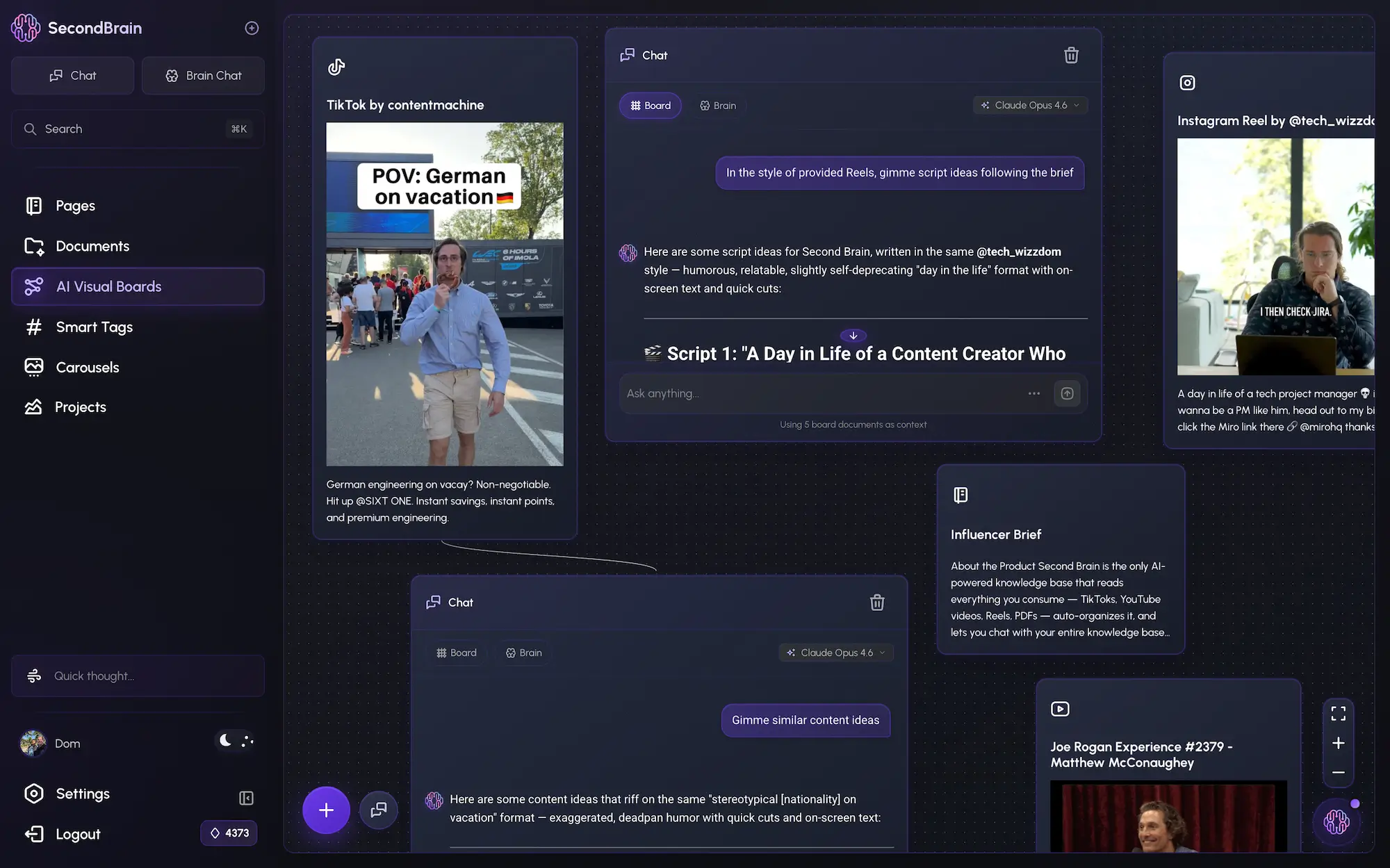
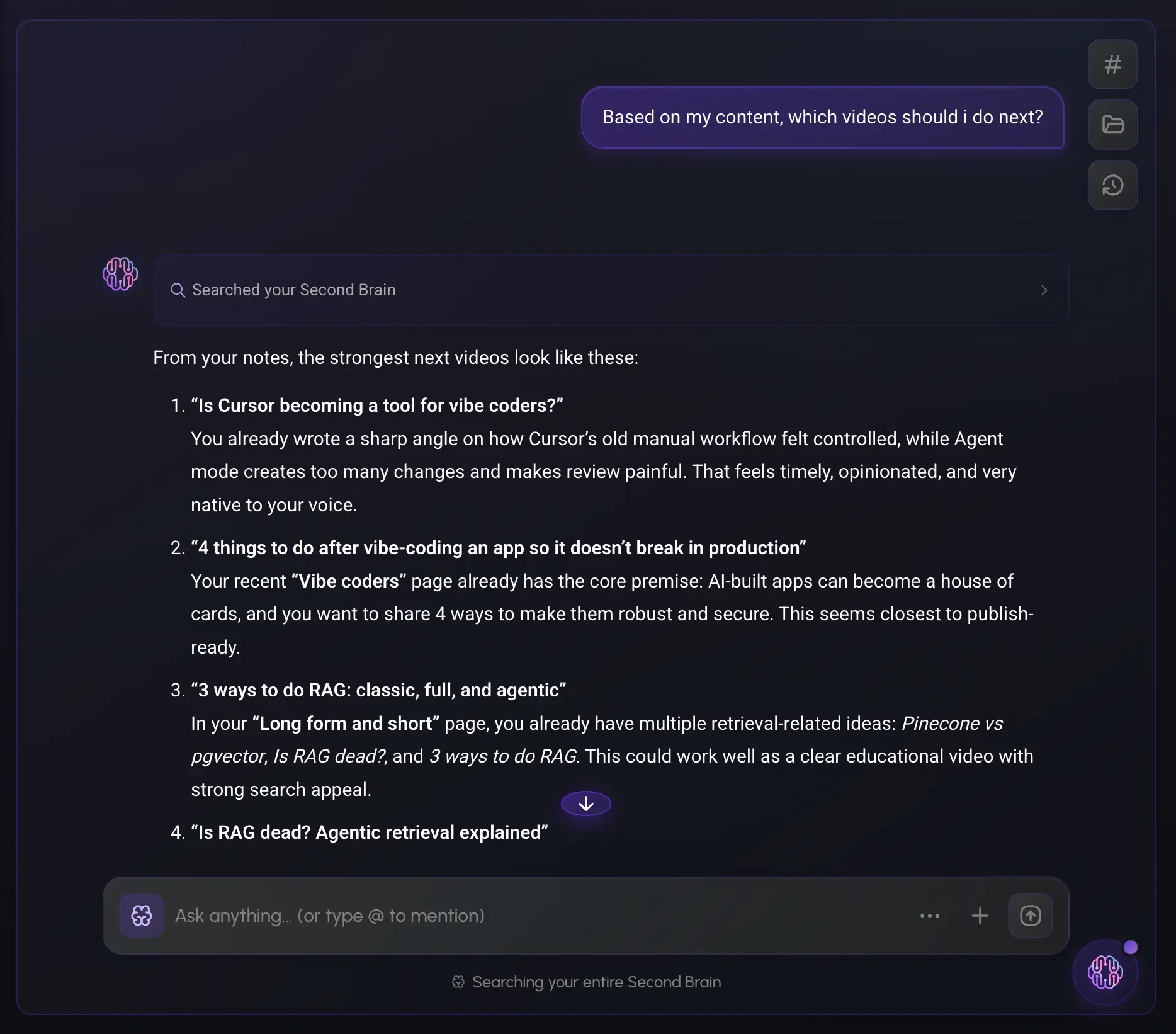
Global Chat
One chat that sees everything inside — every post, video, and podcast you've saved, every document, and every chat you've had. Ask across all of it at once and get answers that connect the dots no single tool ever could.
Can ChatGPT watch videos?
Chatbots read the page behind a link. On TikTok, Instagram and YouTube the page is mostly the video, so they get a caption and a title — and guess the rest. Here's what each one actually does, as of late 2026.
Not from a link. ChatGPT reads the page, not the video, so it can't hear what's said or see what's shown — ask it to summarize a URL and you often get a guess built from the title. The workaround is copying the transcript in yourself.
The long way, step by stepNo. A TikTok or Reel link gets it the caption and hashtags at best, often nothing, and never the video. Uploading the saved file is hit or miss, because video isn't on OpenAI's list of supported file types.
Pasting the link doesn't work. The long way is saving the video, uploading the file and pasting the caption in yourself — or sharing your screen in voice mode, which saves nothing. The short way is pasting the link into Rescroll.
On iPhone and AndroidSometimes. Video isn't on OpenAI's list of supported file types, so uploads are hit or miss, and a video link doesn't work at all.
What works on each deviceNo. Claude has no video input, and its web fetch reads text, so a YouTube link gets it the title and description at best — and sometimes a confident summary built from the title alone.
Yes, public ones — it's the one major chatbot where pasting a YouTube link works. It doesn't take TikTok or Instagram links, and Google doesn't say how much of what's on screen the Gemini app reads.
Instagram won't let you copy a Reel's captions. Free transcript tools work from the link but only give you the words; Rescroll gives you the transcript plus the text and visuals on screen, and lets you ask about them.
The AI has to hear it and see it. Paste the link into Rescroll and ask “summarize this” — or paste ten links from one creator and ask what they have in common.
The short way, for all of them: paste the link into Rescroll. It watches the video itself — the transcript and what's on screen — and keeps it in your library to ask about any time.
Questions
Guides
Keep reading
Decode every Reel. Generate every visual. Post in any style you feed it. Everything you saved is one click away.
Start Your Library