“Start the Reel on my first word.”
Open on the hook
Most takes start with a second of you settling in. It's cut, so the first thing anyone sees is the line meant to stop them.

AI Reels editor
Drop in the vertical take from your phone and type what it needs: “tighten the pauses, punch in on the hook, make the colors pop and add bold captions.” Rescroll edits your footage, and you export a 1080p MP4 for Reels.
The short answer
Describe the edit in one sentence. In Rescroll's AI video editor you drop in your vertical take and type what it needs, like “tighten the pauses, punch in on the hook, make the colors pop and add bold captions”. It cuts the dead air and bad takes from the transcript, zooms, grades and captions your own footage, and you export a 1080p MP4 with no watermark, on the free plan.
A Reel sits well inside the free plan: clips up to 5 minutes, 3 videos and 20 minutes of transcription. The editor runs in Chrome or Edge on a computer, not on your phone, and keeps the shape you filmed: shoot 9:16, or make a horizontal video vertical first with the free auto-reframe tool. Captions come in seven styles; music, templates and transitions don't, and CapCut is the better pick for those.
The first second
The same take from the film above. As it came off the phone, the Reel opens on a second of nothing. After one sentence it opens on her first word, closer, brighter and captioned.
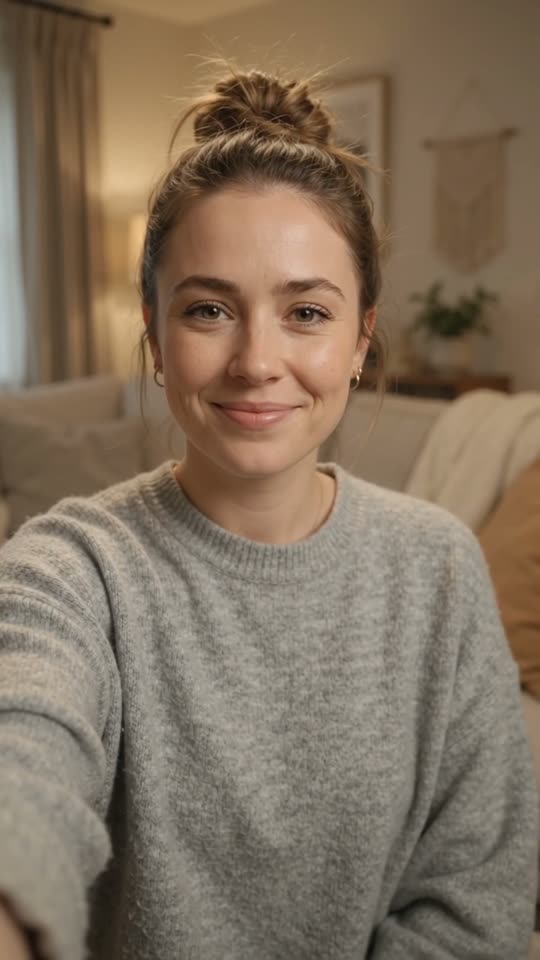 dead air
“Tighten the pauses, punch in on the hook, make the colors pop and add bold captions”
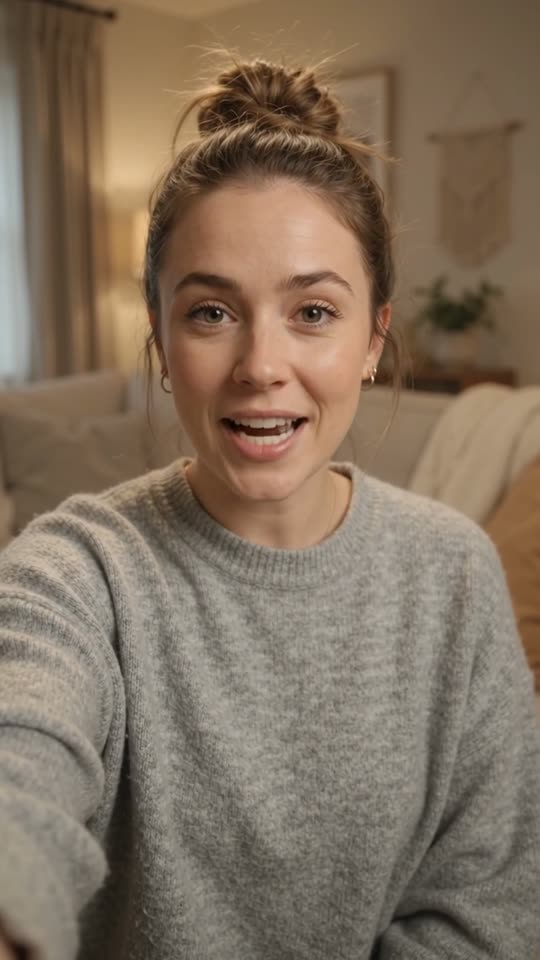 my landlord texted
“start on my first word”
The dead air while you settle in is cut, so the Reel opens mid-sentence on the line that hooks.
“tighten the pauses”
Every pause comes down to a breath, from the transcript, never inside a word. Natural, tight or jump-cut pace.
Jump cuts“cut the take where I flubbed it”
Say a line twice and the last full take stays. The false starts go, as one step you can undo.
Bad takes“punch in on the hook”
A zoom centred on your face for the opening line, back to the wide shot at the next cut.
Auto zooms“make the colors pop”
White balance, exposure, contrast and saturation set for your clip. Every slider stays yours to adjust.
AI color grading“add bold captions”
Word-timed captions from the transcript in one of seven styles, from bold pop to karaoke, moved off your face and clear of Instagram's caption.
film vertical
The editor keeps the shape you give it. Film 9:16 with your face in the middle; make a horizontal video vertical first with the free auto-reframe tool.
Free auto reframeShort vertical takes sit well inside its limits. Pro takes over for graphics and B-roll built from a description, cleaner sound and longer videos.
Free plan
Limits: 3 videos, clips up to 5 minutes, 5 files in a video and 20 minutes of transcription in all.
Start on the free planWhere Pro takes over
Pro is $29 a month, or $20 a month billed yearly. Ultimate is $79 ($55 yearly) and Scale $199 ($139 yearly).
See plans and creditsThen give it notes
The first pass is rarely the last. Each of these is one message in the chat on your take.
“Start the Reel on my first word.”
Most takes start with a second of you settling in. It's cut, so the first thing anyone sees is the line meant to stop them.
“Tighten the pauses, jump-cut style.”
Every pause between sentences comes down to a breath. Natural, tight or full jump cut, never cutting inside a word.
See the jump cut editor“Cut the take where I flubbed the line.”
Restart a line as often as you need. The last full take of each line stays and the stumbles go.
See bad-take removal“Punch in on the hook, then back out.”
A zoom centred on your face for the opening line, and back to the wide shot at the next cut.
See auto zooms“Make the colors pop, it's going on a phone screen.”
Brighter, livelier color set for your footage: white balance, exposure, contrast, saturation. Every slider stays yours.
See AI color grading“Add bold captions and keep them off my face.”
Word-timed from the transcript, in one of seven styles. Change the color, size or case, or fix a misheard word, by saying so.
“Show my product shot while I talk about the packaging.”
Drop in your clips or photos and say where they go: full screen as B-roll, or picture-in-picture beside you.
How it works
From the take on your phone to a Reel ready to post, without scrubbing a timeline.
Record 9:16 on your phone, the shape Reels plays full screen. Got a horizontal video? Make it vertical first with the free auto-reframe tool: the editor keeps the shape you give it.
On your computer, drop the take into Rescroll and say what it needs in one sentence: the dead air, the pauses, the bad take, a punch-in on the hook, the color.
Play it back, ask for changes the same way, then export a 1080×1920 MP4 made in your browser, with no watermark. Send it to your phone and post it as a Reel.
Three ways to edit a Reel
What each does for a talking-to-camera Reel, including where the other two are the better pick.
| CapCut | A timeline editor | Rescroll | |
|---|---|---|---|
| The edit, from one sentence | One-tap tools, one at a time | By hand | Yes |
| Bad takes and false starts found for you | You find them | You find them | Yes |
| Pauses and dead air cut | Partly | By hand | Yes |
| Change anything by asking | No | No | Yes |
| Auto captions | Yes | Yes | Seven styles, free |
| B-roll | Your clips, stock library | Your clips | Your clips, or built from a description (Pro) |
| Your own music, lowered under your voice | Yes | By hand | Yes |
| Music library, sound effects and filters | Yes | Yes | No |
| Templates and transitions | Yes | Yes | No |
| Turns 16:9 into 9:16 | Yes | Partly | Free separate tool |
| Works on your phone | Yes | No | No |
Both caption your Reel. CapCut is the better pick if you edit on your phone, or want a music library, effects, templates and transitions. Rescroll is for the edit itself, described instead of done: the dead air, the bad takes, a punch-in on the hook, the color and the captions, without scrubbing a timeline. Plenty of people use both: cut it in Rescroll, then add a sound in Instagram when you post.
Questions
Guides
Keep reading
Decode every Reel. Generate every visual. Post in any style you feed it. Everything you saved is one click away.
Start Your Library