
How to Remove Silences, Ums and Bad Takes From a Video (Automatically)
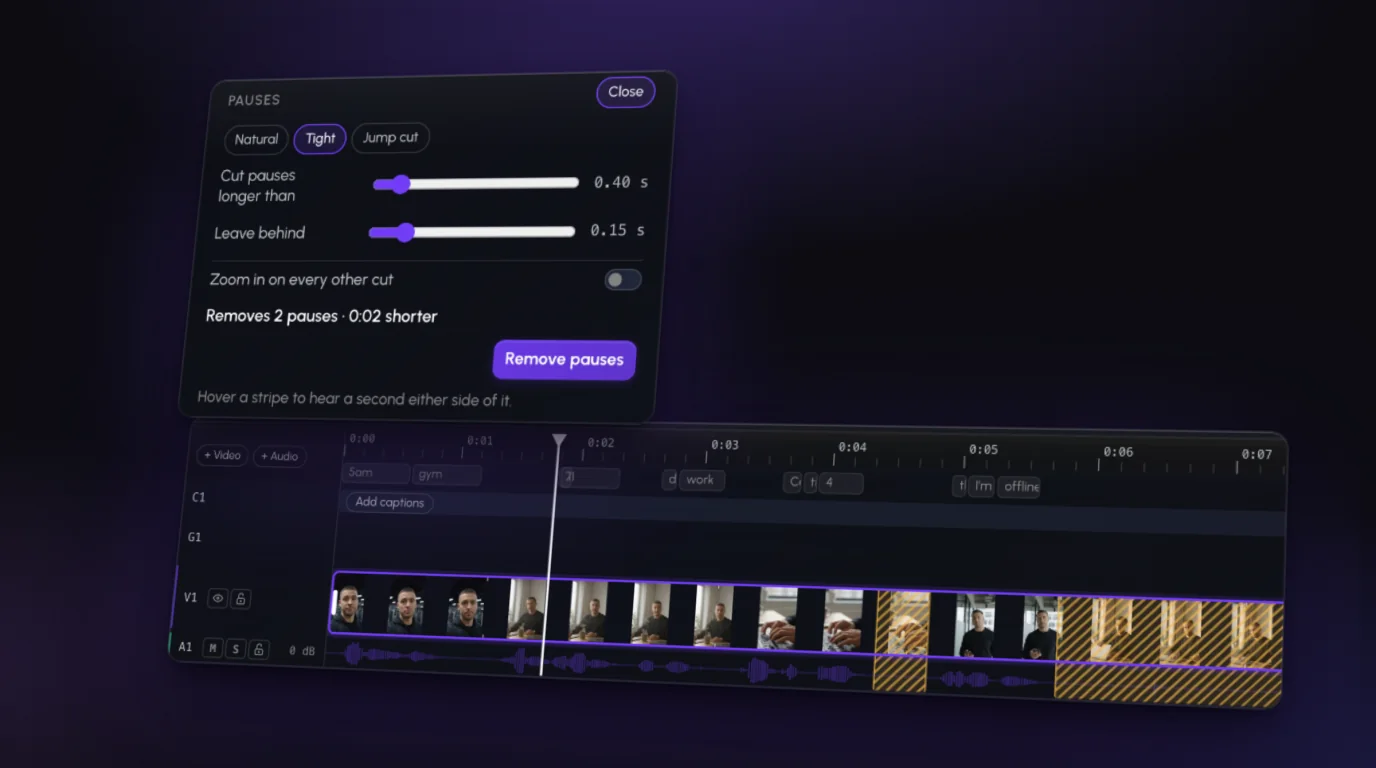
The fastest way to tighten a talking-head video is to cut the dead air: the pauses, the "ums," the line you started three times. Doing it by hand is the most tedious part of editing. Doing it automatically takes a minute.
Here's both, plus the one thing automatic tools get wrong.
Why doing it by hand takes so long
Manually, it goes like this: scrub the timeline, spot a gap in the waveform, blade it, delete it, close the gap, play it back, repeat. A 10-minute take can have well over a hundred of these.
Bad takes are worse. A silent gap shows up in the waveform; a restarted sentence doesn't. You have to listen to find it. It's a big reason editors commonly quote 30–60 minutes of work per finished minute of video (more on where the hours go).
The automatic ways, tool by tool
Most editors can now do this from the transcript: transcribe, find the gaps and filler words, delete them in bulk.
Premiere Pro. In Text-Based Editing, open the Transcript panel's filter and choose Pauses or Filler words. Premiere highlights every match, and you can delete them one by one or all at once. You can also set how long a gap has to be to count as a pause.
Descript. Open the AI Tools panel and choose Shorten word gaps: set what counts as a gap (say, more than a second) and the length to shorten it to, then Shorten all. Remove filler words lists every "um" and "uh" with its timestamp so you can delete, ignore or keep each one. Both use AI credits on current plans.
CapCut. On desktop, turn on filler word detection when you generate Auto captions, and the "ums" show up highlighted in the transcript, ready to delete. CapCut also has silence removal, but where it lives (and which plan it's on) varies by version and device, so check your app.
All three work. They also all leave you doing the review, and the restarts and bad takes are mostly still yours to find.
The catch: not every pause is a mistake
Automatic tools cut by rule. That's great for dead air and bad for timing:
- Keep the beat before a punchline. That pause is the joke.
- Leave a breath between ideas. Zero gaps sounds rushed and robotic.
- Watch for clipped words. Aggressive cuts can eat the end of a word.
So: cut automatically, then watch it through. Put back anything that changed the meaning.
The one-sentence way
In an AI video editor, you skip the panels and just say it. In Rescroll, you drop in your raw take and type "Remove the silences and bad takes" in the chat on the clip, or tap the Remove silences or Remove filler words chip. It reads the transcript and the footage, cuts the dead air, the fillers and the lines you restarted, and keeps your best take of each.
Prefer to see it first? The Pauses tool on the footage marks every silence on the timeline as a stripe before anything is cut:
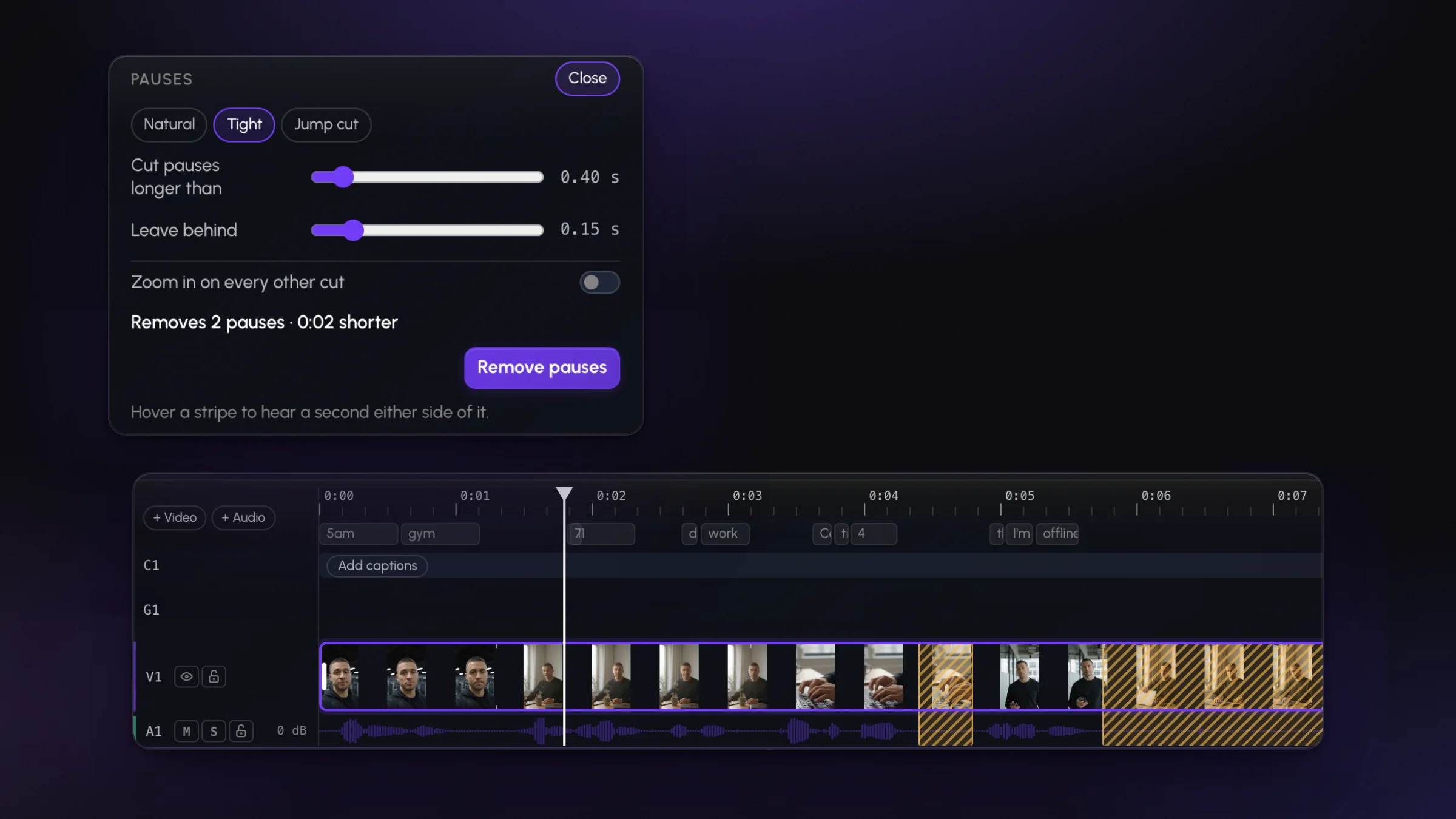
Pick the Natural preset to keep a little breathing room, and tick Zoom in on every other cut so the jumps read as a change of angle instead of a glitch. Then remove them in one go:
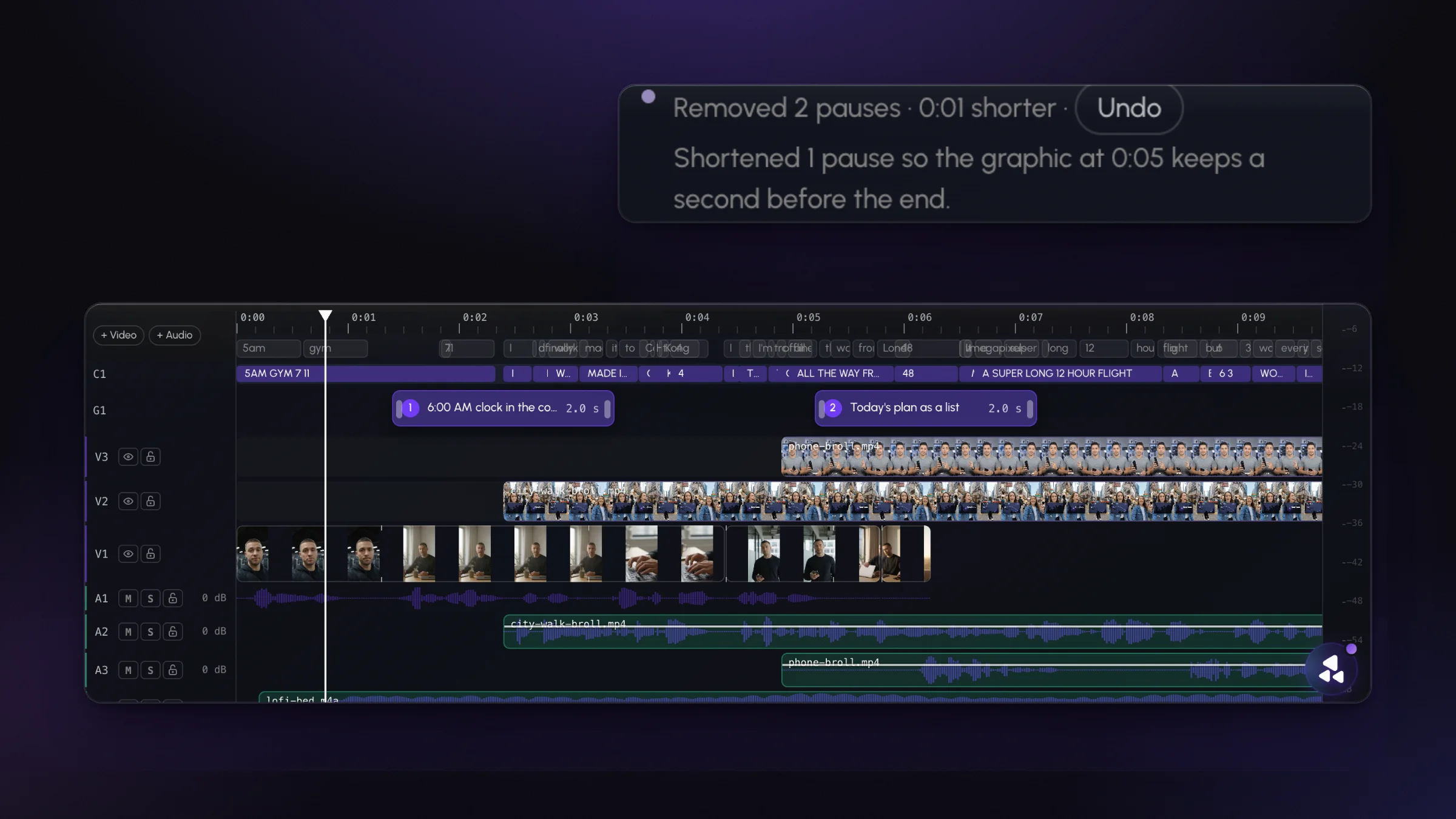
If a cut is wrong, say which one ("keep the pause before the punchline") and it's put back.
A quick checklist
- Cut the dead air and filler words automatically.
- Find and remove the restarts (or ask the AI to).
- Punch in on alternating cuts to hide the jumps.
- Watch it once, start to finish.
- Restore any pause that was doing a job.
Cutting the pauses is step one of making a talking head feel fast. Step two is in how to make a talking-head video less boring.