A launch board
The brief, five reference Reels, a competitor's pricing page, tone notes
“Give me three launch concepts that follow the brief.”

AI canvas
TikToks, Reels, YouTube videos, PDFs, web pages, docs and notes on one infinite board. Every chat you add sees the whole board, so you can ask across all of it — and keep as many chats as you need.
The short answer
An AI canvas is an infinite whiteboard where an AI can read everything you put on it. In Rescroll you drop videos, documents, web pages and notes onto a board, arrange them however you think, and add chats anywhere on it. Every chat sees the whole board — up to 500 items — so you can ask across all of it without wiring anything up.
That's the difference from a whiteboard with an AI button. Rescroll watches the TikToks, Reels and YouTube videos you drop — what's said and what's shown — and reads the PDFs, docs and pages, so one chat can answer from a video's hook and a brief's tone at the same time.
And the difference from a chatbot: the board is the context. Add more, move things around, start a second chat for another question — every chat sees the board as it is now, and the other chats on it.
How a chat reads the board
Nothing is wired up. A chat on the board reads everything on it — here, the brief, the tone note, a Reel, a TikTok and a competitor's pricing page lit up as the answer drew on them.
Launch brief.pdf
Tone of voice
Playful, no jargon. Logo after 0:03.
Ep. 41 — How we sold out a launch with no ads
 Reel
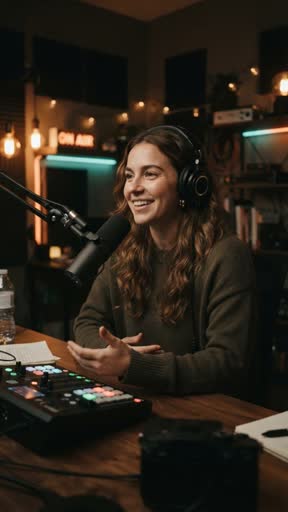
Why I record everything in my car
 TikTok
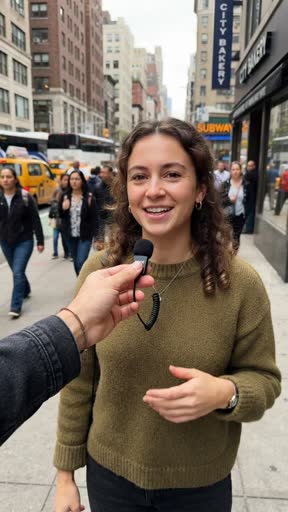
Asking strangers one question on a loud street
 Reel
The mic matters less than this
clipwave.com/pricing
Solo
$99
Duo
$169
Pro
$249
Chat
Sees this board (17 items) · searches your library when needed
Using the brief and these videos, give me 3 launch concepts.
Three concepts, each built on the brief:
1 Leave the car — the car Reel's hook, shot on a loud street; logo after 0:03, per the brief
2 Their price, our proof — Clipwave leads with $169; lead with real street audio
3 One question, one mic — from the street TikTok, the mic in every shot
Every item on it, up to 500. Nothing to connect, nothing to select.
Up to 100 per board, so one chat can build on what another found.
Mention a video, a PDF or a page by name to focus the answer on it.
When the board doesn't have the answer, it searches the rest of your library.
What goes on the canvas
Paste a link or drop a file. Each item is read the way its format needs, so a chat can use any of it.
TikToks, Instagram Reels, YouTube Shorts
Watched frame by frame, with the transcript
Videos, and whole channels from one link
Full transcript; visuals on demand under 30 minutes
LinkedIn posts, carousels and videos, X threads
Carousels read slide by slide, videos watched
PDF, Word, PowerPoint, Excel, CSV, Markdown
Read in full
Docs, Slides and Sheets
Read in full
Pages and articles
Read as the page
Podcasts and recordings
Transcribed
Pages and text you write on the board
Read like everything else
The brief, five reference Reels, a competitor's pricing page, tone notes
“Give me three launch concepts that follow the brief.”
The client's last ten videos, their brand guide, two competitors' channels
“What should this client post next month, and why?”
A whole YouTube channel, a podcast episode, two long articles
“Where do these agree, and where do they disagree?”
What to ask a board
Each of these is one message in a chat on the board, answered from what's on it.
“Using the brief and these videos, give me 3 launch concepts.”
A chat reads the brief, the videos and the pages together, and names what each idea comes from.
“Which hooks on this board open with a question?”
Every video on the board is checked, and you get the ones that fit — with who posted them and how they open.
“@Launch brief.pdf — what does it say about tone?”
Mention a video, a PDF or a page by name, and the chat answers from that one.
“What did the research chat decide about pricing?”
Every chat sees the board's other chats, so the research chat's findings are there when the script chat starts.
“Turn this board into a one-page brief for my editor.”
Everything on the board, summed up in a page — with the references each point came from.
“Nothing here covers pricing — check the rest of my library.”
When the board doesn't have the answer, the chat searches everything else you've saved and says where it found it.
How it works
Five minutes from an empty board to the first answer.
One board per launch, client or idea. It's an infinite canvas: group things into areas the way you think about them.
Paste TikTok, Instagram, YouTube, LinkedIn or X links, a whole YouTube channel, PDFs, Google Docs, Slides and Sheets, Word, PowerPoint and Excel files, web pages, podcasts and notes. Videos are watched; documents are read.
Every chat sees the whole board and its other chats; @mention one item to focus it. Add a chat per question — research, scripts, the brief — side by side.
Whiteboard, chatbot, canvas
What each one does with the material you collect — including what the other two still do better.
| A whiteboard | A chatbot | Rescroll | |
|---|---|---|---|
| An infinite canvas you arrange yourself | Yes | No | Yes |
| Watches TikToks, Reels and YouTube from a link | No | No | Yes |
| Reads PDFs, docs and web pages | Partly | Yes | Yes |
| An AI chat that sees everything on the board | Partly | No | Yes |
| Several chats side by side, aware of each other | No | No | Yes |
| Live team whiteboarding | Yes | No | No |
| Shapes, arrows and diagram tools | Yes | No | No |
A whiteboard is still the better place for workshops and diagrams with your team, and a chatbot is fine for one document at a time. Rescroll's canvas is for when the AI needs to read everything you've collected — videos included.
Questions
Guides
Keep reading
Decode every Reel. Generate every visual. Post in any style you feed it. Everything you saved is one click away.
Start Your Library