“Which hooks get the most views across all 72? Make a table.”
One table across every video
Hook types, how many videos use each, median views and the strongest example with its timestamp. Ask for a table and you get one, ready to paste into a deck.

AI video analysis
Paste as many TikToks, Reels and Shorts as you like, or drop in your own files. Rescroll watches every one — what's said, what's shown, how it performed — and answers across all of them, down to the video and the second.
The short answer
Put them where one AI can watch all of them, then ask your question across the whole set. In Rescroll you paste TikTok, Instagram and YouTube links, as many as you like, or upload video files, onto one board. Each video is transcribed and its visuals described as it's saved, and the board's chat answers across every video on it — up to 500 — naming the video and the second each point comes from.
General chatbots work an upload at a time: Gemini takes up to 10 files and an hour of video per prompt on a paid plan, and ChatGPT can't open a TikTok or Instagram link. TwelveLabs handles thousands of videos, through an API you build on. Rescroll is the version for people who would rather ask than write code.
It reads what's in the videos and the public numbers on each post — views, likes, comments, shares and saves. It doesn't see private analytics like retention, and it doesn't guess: when it compares, it says which videos it compared.
What you get back
An example from the board in the film: TikToks, Reels, Shorts and an uploaded cut, asked one question. Every finding names the video and the second it comes from.
Hook research · lamp launch
72 videos on one board · example answer
On the board
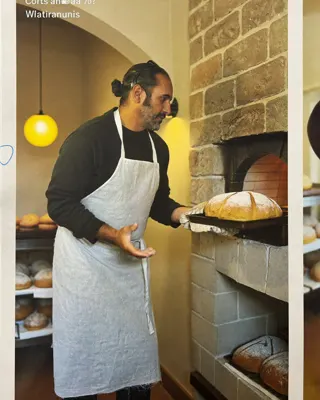 1.2M1
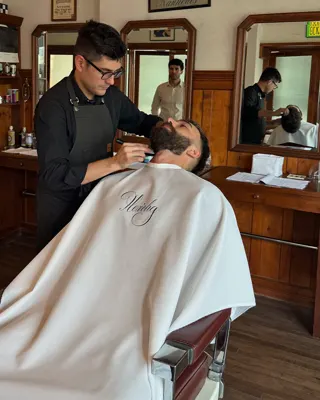 640K2
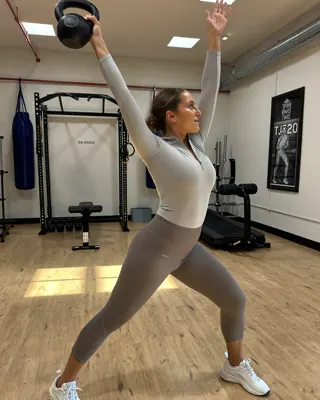 410K3
 298K
 187K
 152K
 96K
 88K
 41K
 23K
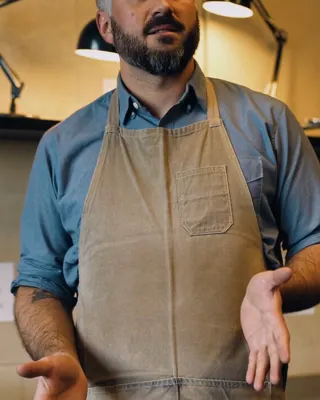
 6.1K4
 no views
+ 60 more on the same board
“Which hooks get the most views across all 72? Make a table.”
Read 72 videos on this board · transcripts, on-screen text, views
71 have public views (your mp4 doesn't). By opening:
| Hook | Videos | Median views | Strongest |
|---|---|---|---|
| Result first1@ovenspring · 0:00 | 14 | 184K | 1@ovenspring · 0:00 |
| Contrarian claim2@fadeandform · 0:01 | 12 | 121K | 2@fadeandform · 0:01 |
| Question to camera3@kettlebell.kai · 0:00 | 9 | 96K | 3@kettlebell.kai · 0:00 |
| Slow intro4@slowmiles.van · 0:04 | 11 | 8.4K | 4@slowmiles.van · 0:04 |
Looking at frames from 3 videos
0:00@ovenspring
The result, before a word is said
0:01@fadeandform
The claim on screen, four words
0:00@kettlebell.kai
Asked to camera, and on screen too
Want notes on your draft against these three?
A chatbot gives you an opinion. This gives you the table, the videos behind each row and the frames to check it against — from posts you chose, on every platform at once.
What to ask
Each of these is one message to the chat on your board, answered from every video on it.
“Which hooks get the most views across all 72? Make a table.”
Hook types, how many videos use each, median views and the strongest example with its timestamp. Ask for a table and you get one, ready to paste into a deck.
“Summarize each video in one line, then tell me what they have in common.”
Fifty one-line summaries you can scan, followed by the three or four things that keep coming up — with the videos that show each one.
“Show me the first frame of the top five.”
The chat pulls frames from the moments you ask about, so you see the opening shot, the text on screen and the framing — not a description of them.
“Where does anyone mention pricing? Give me the video and the second.”
Each place a topic comes up across the set, said out loud or written on screen, with the creator, the platform and the moment.
“Compare our client's draft with these 40 Shorts.”
Upload the cut you're about to post and ask how its hook, length and pacing compare with what's working. Your file has no public views, so the comparison is on craft.
“Turn what works into a creative brief for next month.”
The findings, written up as a brief your team or client can act on: the hooks to test, the formats to drop, and the videos to watch first.
How it works
A few minutes of pasting, then as many questions as you like. No downloads, no spreadsheets, no code.
Copy links from TikTok, Instagram, YouTube, X or LinkedIn, or gather your own files (mp4, mov, mkv, webm, avi). You choose exactly which posts go in, so the sample is the one you meant.
Add to board → Links and files. Paste as many links or files as you need; there's no limit. Each video is transcribed and its visuals described as it saves.
One chat sees the whole board. Ask for a table, a summary of each video, the frames behind a finding or a brief. Answers name the video and the second.
Three ways to do it
What each one can actually do with a pile of videos, as of November 2026.
| Gemini or ChatGPT | TwelveLabs | Rescroll | |
|---|---|---|---|
| Opens TikTok and Instagram links | No | No | Yes |
| Videos in one question | Up to 10 files (Gemini) | Up to 1,000 per API batch | Up to 500 on a board |
| Sees the visuals, not just the words | Yes | Yes | Yes |
| Views, likes, comments, shares, saves | No | No | TikTok, Instagram, YouTube |
| Answers name the video and the second | Partly | Yes | Yes |
| Keeps the set for the next question | No | Yes | Yes |
| Builds video search into your own app | No | Yes | No |
| What you need | Files, a few at a time | A developer and an API key | Links or files |
| Price | Free tiers, paid for longer video | Free tier; Plus $29, Pro $99 a month | Free to start; Pro $29 a month |
Gemini is the quickest way to ask about a handful of clips you have as files, and TwelveLabs is the right call if you're building video understanding into your own product. Rescroll is for when the analysis is the job: a few hundred posts from any platform, and no code.
Questions
Guides
Keep reading
Decode every Reel. Generate every visual. Post in any style you feed it. Everything you saved is one click away.
Start Your Library