“Where do these agree, and where do they conflict?”
Where the videos agree and disagree
The app's own suggestion for a pile of long videos. Each disagreement names the videos on both sides, so you know which to watch.

Chat with multiple YouTube videos
Paste the links, or pick videos from a channel, and Rescroll reads every one. Then ask across all of them at once: what they share, where they split, how two compare — and see which videos each answer drew on.
The short answer
Put the videos on one Rescroll board — paste their links, one per line, or pick them from a channel's list, 50 at a time — and open a chat on the board. It sees every video there, so one question covers all of them: where they agree and disagree, what they have in common, how two compare.
Each answer lists the videos it drew on as Sources, and you can ask about one with an @ mention. Ask for a summary of each video and then the points they share, or for study notes grouped by topic, and keep asking in the same chat.
Be clear on the limits: there's no playlist import, so paste the videos' links or use the channel list; answers name videos, not timestamps; and a video with no captions can only be read if it's under 30 minutes and you tick “Detailed visual analysis”.
Seven videos, one question
An example: seven YouTube videos on pricing freelance work, from four channels, on one board. Point at a disagreement to see which videos it comes from.
Board · Freelance pricing
 14:221
Stop Charging By The Hour
The Solo Desk
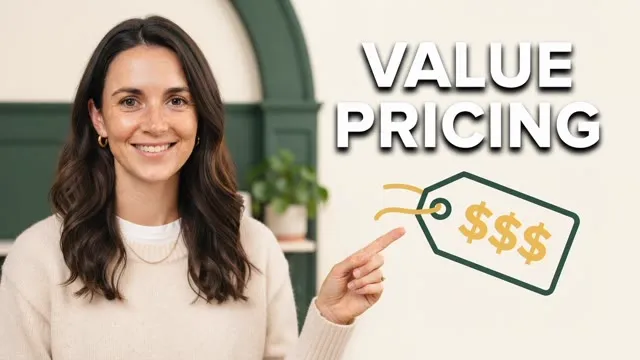 12:081
Value-Based Pricing in 12 Minutes
The Solo Desk
 9:47
The 3 Tiers I Offer Every Client
The Solo Desk
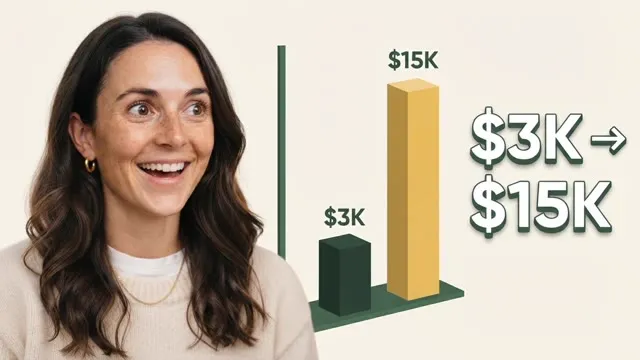 16:31
$3K to $15K Projects: What Changed
The Solo Desk
 11:051
Why I Still Charge Hourly
Build With Marcus
 13:40
I Raised My Rates 3x. Here's What Happened
Kai Freelances
 18:12
What I Charge as a Nomad Designer
Lena Abroad
Paste URLs here, separated by new lines...
Sees this board (7 items) · searches your library when needed
Where do these videos disagree?
They split on three things:
Where they agree: raise rates for new clients first, then existing ones.
Sources
The answer names the videos, not the minute. To hear a point in context, open the video: its transcript is timed line by line, and a click on a line plays it from there.
Know before you paste
Four things it doesn't do, so you know what you're getting.
A playlist link isn't read as a list, and a watch link with &list= in it saves only that video. Paste the videos' links, or pick them from the channel's list.
The chat reads transcripts without times, so it can't cite timestamps. The saved video's own transcript is timed: click a line to jump there.
Unless you tick “Detailed visual analysis” when you add them; then videos under 30 minutes are watched too. Shorts are always watched.
A video without captions has no transcript. Under 30 minutes, Detailed visual analysis watches and listens instead; longer ones can't be read.
Which plan
Comparing a set of videos works on the free plan. Pro is for doing it every week.
Free plan
Limits: 150 credits for 14 days, up to 40 chat messages a day, no web search; each video you save and each message uses credits.
Start on the free planWhere Pro takes over
Pro is $20 a month billed yearly, or $29 monthly. Ultimate ($55 / $79) has four times the credits.
See plans and creditsThe tools people ask about
Each one from its own pages. They all answer across videos; they differ in how the videos get in and what's read.
| Tool | How videos go in | Across several videos | What it reads | Free use |
|---|---|---|---|---|
| YouTube's Ask | Built in: Ask under eligible videos; Ask YouTube in Search (US, English) | Under a video, that video; in Search, clips from videos YouTube picks | Not stated on its help pages | Free, on select videos, regions and languages |
| Gemini Notebook (NotebookLM) | Public YouTube videos with captions, added by link | Yes, across a notebook's sources, with in-line citations | The transcript only; videos without speech aren't supported | Free: up to 50 sources a notebook |
| ChatYT | YouTube links pasted into one chat | Up to 6 videos per chat | Transcripts | 3 credits on sign-up; Basic $5 a month for 300 |
| Tube-U | Several links, a whole playlist, or a topic to search | One report that flags where creators disagree, with timestamps | Transcripts | 10 credits a device, 50 more with an account; from $4.99 |
| Rescroll | Links pasted into a board, or a channel's videos 50 a page | Every video on the board, with Sources under each answer | Captions, and the picture too under 30 minutes with Detailed visual analysis | Free plan: 150 credits for 14 days |
What to ask a stack of videos
Each of these is one message in a board chat, answered across every video on the board.
“Where do these agree, and where do they conflict?”
The app's own suggestion for a pile of long videos. Each disagreement names the videos on both sides, so you know which to watch.
“Summarize each of these 10 in two lines, then list the points they share.”
One message: a short summary per video, then the ideas that come up again and again, with how many videos make each one.
“Compare the arguments in these two”
Put two videos on the board, or @ mention them, and get what each argues, where they differ and which makes the stronger case.
“Which of these explains it best for a beginner, and what does it skip?”
Ten tutorials on the same thing, ranked for what you need, with what the best one leaves out and which video covers it.
“Make study notes from all of these, grouped by topic, then quiz me.”
Notes merged across every lecture instead of one set per video, then questions one at a time to check what stuck.
“Map the themes across all of these”
Pick 50 videos from a channel's list and ask what it keeps coming back to. For a whole channel, start from the channel analyzer.
Analyze a whole channelHow it works
Five minutes from a list of links to the first comparison.
Paste the YouTube links into the board's add box, one per line — as many as you like. Or choose “YouTube channel”, paste the channel's link and tick the videos you want, 50 to a page.
The chat sees every video on the board, nothing to connect. It also searches the rest of your library when the board doesn't have the answer.
Where do they disagree? What do they share? Compare these two. Each answer lists its Sources, and the next question picks up where it left off.
Three ways to ask YouTube videos
What each does with several videos — including where the others are the better pick.
| YouTube's Ask | Gemini Notebook (NotebookLM) | Rescroll | |
|---|---|---|---|
| Right under the video on YouTube | Yes | No | No |
| One question across videos you chose | One video at a time | Yes | Yes |
| A channel's videos from its link | No | No | 50 videos a page |
| A playlist from its link | No | No | No |
| Reads what's shown, not only what's said | Not stated | Transcript only | Under 30 minutes, with Detailed visual analysis |
| Shows which videos an answer used | The video you're on | In-line citations | Sources under every answer |
| The same chat across TikToks, Reels and PDFs | No | PDFs and docs, not TikToks or Reels | Yes |
For a quick question about the video you're watching, YouTube's Ask button is right there. For a stack of lecture transcripts with in-line citations, Gemini Notebook is a good notebook. Rescroll is for comparing videos you'll come back to, next to everything else you've saved.
Questions
Guides
Keep reading
Decode every Reel. Generate every visual. Post in any style you feed it. Everything you saved is one click away.
Start Your Library