





Rescroll

Analyze your own videos with AI

See what works in your videos, and what to post next.

Paste the links of your own TikToks, Reels, Shorts and YouTube videos, as many as you like. Rescroll watches every one, reads its views, likes, comments, shares and saves, and tells you what your best videos share, what your flops have in common, and what to make next.

Analyze your videos

The short answer

Can AI analyze my own videos and tell me what works and what to post next?

Yes. Paste the links of your own TikToks, Reels, Shorts and YouTube videos into Rescroll, as many as you like. It watches each one and reads its views, likes, comments, shares and saves. Then ask which videos did best and why, what your flops have in common and what to post next. Ideas come from your own top videos, naming them.

ChatGPT can't do this from a link, so it asks you to paste your posts. Platform analytics show which video won but not why, and each app only sees itself. Rescroll puts every platform on one board and answers from the videos themselves: the first line, what's on screen, the length, the topic.

You choose which videos go in. There's no account to connect and no profile import, so your best and worst twenty, or a whole quarter, works the same. It sees the public numbers, not your watch time, retention or followers; those stay in TikTok Studio, Instagram Insights and YouTube Studio.

One question, start to finish

Twelve videos in. Three to post next.

An example: Nadia, a brand designer put twelve of her own videos from TikTok, Reels, Shorts and YouTube on one board and asked one question. This is what came back.

Which of my videos did best and why? What should I post next?

Her top three

  1. #1 · TikTok · 0:28

    The brand book that closed a $9K client

    “This brand book closed a $9K client”, holding it up

    1.4M views

  2. #2 · Reel · 0:24

    I raised my prices and nobody left

    “I raised my prices. Nobody left.”, to camera

    862K views

  3. #3 · Short · 0:31

    Six colours that won me a rebrand

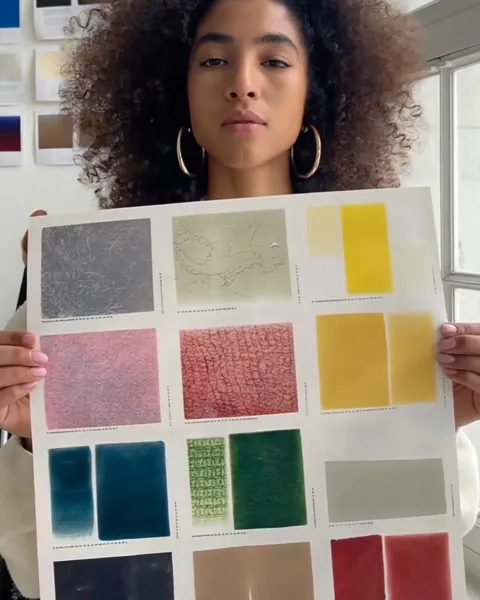
    “6 colours won me a rebrand”, holding the swatches

    615K views

Her bottom three

  1. #10 of 12 · Reel · 0:58

    Sketchbook diary, week 12

    Sketching at a café, eyes down; no text

    4.1K views

  2. #11 of 12 · TikTok · 0:52

    A quiet research day

    Reading in a library; no text

    3.2K views

  3. #12 of 12 · Short · 1:01

    Planning Q1 on the whiteboard

    Drawing boxes in silence; no text

    2.6K views

What the top three share

A client result, with a number

All three top videos open on a result: $9K, her prices, a rebrand. The bottom three open on a moment and get to the point late.

To camera, from frame one

She's looking down the lens, or holding the work up to it, with the line on screen. The flops have no text at all.

Under 35 seconds

The top three run 24 to 31 seconds; the bottom three run 52 seconds to a minute.

What to post next

  1. Idea 1

    “What I charged for my last three identities”

    Builds on #1 and #2: money, a number, to camera

  2. Idea 2

    “The email that turned a $2K logo into a $9K brand”

    Builds on #1: a client result in the first line

  3. Idea 3

    Sketchbook diary again, cut to 30 s, the finished logo first

    Builds on #10, a flop, remade the way the top three open

“Build me a 2-week content plan from what works.”

  • Week 1 · TueTikTokWhat I charged for my last three identitiesBuilds on #1, #2
  • Week 1 · ThuReelThe email that turned a $2K logo into a $9K brandBuilds on #1
  • Week 1 · SatShortSketchbook diary, 30 s, the finished logo firstBuilds on #10, remade
  • Week 2 · TueTikTokThe one slide that gets clients to say yesBuilds on #1
  • Week 2 · ThuReelI raised my prices again: month twoBuilds on #2
  • Week 2 · SatShortSix colours, six brands: which one soldBuilds on #3

The creator and every number are made up. The ranks come from each post’s public views; the plan is text you copy into your own calendar. Rescroll doesn’t schedule or post.

Which plan

Start free. Keep the board.

Adding your videos and asking about them work on the free plan. Pro is for doing it every week.

Free plan

  • Paste your TikToks, Reels, Shorts and YouTube videos by link, as many as your credits cover
  • Every short video watched: visuals, on-screen text and words
  • Ask what works, what flopped and what to post next, with sources

Limits: 150 credits for 14 days, up to 40 chat messages a day, no web search; each video you save and each message uses credits.

Start on the free plan

Where Pro takes over

  • 2,500 credits a month, and no daily message cap
  • Web search in the chat, next to your videos
  • AI carousels and the paid AI video editor tools

Pro is $20 a month billed yearly, or $29 monthly. Ultimate ($55 / $79) has four times the credits.

See plans and credits

The tools people ask about

Ask Studio, vidIQ, Metricool, Reelyze, Retensis and Rescroll.

Each one from its own pages. Most see one platform, or your numbers but not your videos; Rescroll watches the videos you pick, from every platform at once.

The tools people ask about: What you give it, Watches the videos?, Platforms, What to post next, Free use
ToolWhat you give itWatches the videos?PlatformsWhat to post nextFree use
YouTube Ask StudioYour channel, inside YouTube StudioNot stated; works from your Studio dataYouTube onlyYes: ideas from your channel dataIn YouTube Studio for most creators
vidIQ AI CoachYour YouTube channel, or an Instagram handleYour 6 latest Reels on Instagram; YouTube from channel metricsYouTube and Instagram; not TikTokYes: ideas and a content planBasic features free; Instagram on 150 credits a month
Metricool StudioThe social accounts you connectNo: account and post numbersThe networks you connectNext steps and ideas from top postsLimited access from Starter, $20 a month
ReelyzeAn upload or a public link; Instagram Insights on paid plansYes, frame by frameReels, TikTok and ShortsContent ideas and timed scriptsFrom $19 a month, or $5 for 5 analyses
RetensisAn upload or a YouTube linkYes, frame by frameTikTok, Shorts and ReelsA 30-day calendar on Growth ($29.99 a month)Free: 2 video analyses a month
RescrollThe links of your own videos, as many as you likeYes: visuals, on-screen text and words for short videosTikTok, Reels, Shorts and YouTube together, plus X, LinkedIn, Facebook, Threads and PinterestYes, built on your own top videos, plus a planFree plan: 150 credits for 14 days
Sources, checked November 22, 2026

What to ask

Ask about your videos. Get answers from them.

Each of these is one message in the board's chat, answered from your own videos and their numbers.

“Which of my videos did best, and what do they share?”

Your best videos, and the pattern behind them

A ranked table by views or saves, across every platform, then what the top ones do that the rest don't: the first line, what's on screen, the length, the topic.

“What do my flops have in common?”

Why your flops flopped

Your lowest videos side by side, and what keeps repeating: a slow open, no text on screen, a topic your audience skips, a minute when your best run 30 seconds.

“What should I post next?”

What to post next, from what worked

Ideas built on your own top videos, each naming the video it builds on, plus one that remakes a flop the way your winners open.

“Build me a 2-week content plan from what works.”

A content plan from your best videos

Six or more posts with a hook, a format and the video each one builds on. The app's own chip for it is “Build a content plan from everything here”.

“What works in the short ones that the long ones miss?”

Shorts against long videos

Put your YouTube videos next to your Shorts, TikToks and Reels and see what the short ones do that the long ones don't, and which long videos deserve a Short.

Analyze a whole YouTube channel

“Here are a competitor's videos. Which topics do they cover that I don't?”

The gaps next to a competitor

Paste a competitor's posts beside yours and ask what they cover, and win with, that you haven't made yet.

TikTok competitor analysis

How it works

How to analyze your own videos.

Ten minutes from the first link to your first answer, most of it copying links.

  1. 01

    Copy your videos' links

    On each TikTok, Reel, Short or YouTube video: Share → Copy link. Your last twenty or thirty, or your ten best and ten worst. There's no account to connect and no profile import, so you choose exactly which go in.

  2. 02

    Paste them onto one board

    As many as you like, from every platform you post to. Each video is watched as it's saved — what's shown, the text on screen, every word — and comes with its views, likes, comments, shares, saves, length and post date.

  3. 03

    Ask what works, and what's next

    Start with “which of my videos did best, and why?”, then: what your flops share, what to post next, a two-week plan. The board stays, so next month you add the new videos and ask again.

Three ways to read your results

Your analytics, a chatbot, or the videos themselves.

What each one gives you, including what only your platforms' own analytics can see.

Your platforms' analyticsChatGPT on its ownRescroll
Watch time, retention and followsYesFrom your screenshotsNo
Views, likes, comments, shares and saves per videoYesFrom your screenshotsYes
TikTok, Reels, Shorts and YouTube in one placeNoIf you paste them inYes
Watches the videos: the opening, the text on screen, the wordsNoNot from a linkYes
Says what your best videos have in commonCharts, not reasonsIf you describe themYes
Ideas and a plan built on your own top videosYouTube's Ask Studio, for YouTubeFrom what you tell itYes
FreeYesFree tierFree plan, with an account

Your platforms' analytics are still where watch time and retention live, and they're free. Use them to see which videos won; use Rescroll to see why, across every platform, and what to make next.

Questions

Analyzing your own videos, answered.

Can AI analyze my own TikTok videos and tell me what works?

Yes, if it can watch them. ChatGPT can't open a TikTok from its link, so it asks you to upload or describe them. Rescroll watches each TikTok you paste, with its views, likes, comments, shares and saves, and tells you what your best ones have in common and what the rest do differently. Reels, Shorts and YouTube videos go on the same board.

How do I find patterns in my best performing videos?

Put your best and worst videos side by side and compare what's repeatable: the first line, what's on screen in the first second, the length, the topic, the format. In Rescroll you paste them in and ask “which of my videos did best, and what do they share?”. The answer ranks them by views or saves and names the pattern, video by video.

What should I post next, based on my own videos?

Ask Rescroll exactly that once your videos are on a board. It builds ideas on the videos that did best for you — the topic, the opening, the length that worked — and names the video each idea builds on. A good one to include: a remake of a flop, opened the way your winners open.

Can AI build a content strategy from my past posts?

Yes. Paste your past posts and ask for your content pillars, the formats that work for you and the ones to drop. Rescroll answers from the posts themselves and their numbers, not from a generic template. It's strongest with twenty or more posts and a clear goal: views, saves, follows or sales.

Can it make a content calendar from my best videos?

It writes the plan: ask for “a 2-week content plan from what works” and you get each post's idea, hook and format and the video it builds on, three a week or as many as you say. It doesn't schedule or publish anything. Copy the plan into your calendar or scheduler.

Can I use my saved inspiration too, not just my own videos?

Yes. Save the other creators' videos you like to the same library, by link, and ask for ideas that mix both: what works for you, in a format that works for them. The board chat sees everything on the board and searches the rest of your library when it needs to.

Can AI tell me why my videos flopped?

It can show you what your flops share, which is the useful part. Ask “what do my flops have in common?” and Rescroll compares them with your best videos: a slow first line, no text on screen, a long runtime, a topic your audience skips. No tool can know the exact reason, and Rescroll can't see your retention curve. Check that in your platform's analytics.

Can it analyze my TikToks, Reels and Shorts together?

Yes, that's what it's for. Paste links from TikTok, Instagram and YouTube onto one board, plus X, LinkedIn, Facebook, Threads and Pinterest posts, and ask across all of them at once. You can also ask what works on one platform that doesn't on another.

How many of my videos can it analyze at once?

As many as you like. Paste the links in one go; each video is watched as it's saved and uses credits to process. Twenty to thirty is a good start for patterns, and your ten best and ten worst make the clearest comparison.

Does it connect to my TikTok or Instagram account?

No. There's no login and nothing to connect, and it doesn't import a whole profile. You paste the links of the videos you want analyzed, which also means you can analyze anyone's public videos the same way. For YouTube, you can list a channel's videos from its link and pick the ones to add.

Which numbers does it see?

Each video's views, likes, comments, shares and saves, its length and its post date, as the platform shows them publicly. Your follower count, watch time, retention, reach and audience don't reach it. Those stay in TikTok Studio, Instagram Insights and YouTube Studio, and you can paste them into the chat if you want them in the answer.

Can it find gaps in my content compared to competitors?

Yes. Paste a competitor's videos next to yours and ask which topics and formats they win with that you haven't made. It compares the videos themselves, with each one's views. It doesn't track their account; you add the posts you want compared.

Can it build an audience persona from my content and comments?

From your content, partly: it sees what you make and which videos people watched, liked and saved. It sees how many comments each video got, not what they say. Paste the comments you want considered into the chat and it will use them too, keeping what they show apart from what it infers.

Is Rescroll an AI coach for content creators?

It works like one for your own content: it watches your videos, tells you what works and what doesn't, and plans what's next, from your numbers rather than generic advice. It doesn't post, schedule or predict virality. Hooks and scripts for the ideas it suggests come from the same chat.

Can it turn my long YouTube videos into Shorts ideas?

Yes. Put your long videos on the board and ask which moments deserve their own Short, or use the app's prompt “Turn the long-form into short-form hooks”. Long videos are read from their captions; switch on detailed visual analysis for ones under 30 minutes to include what's shown.

How is Rescroll different from vidIQ, Metricool or YouTube's Ask Studio?

YouTube's Ask Studio and vidIQ's AI Coach are built around YouTube; vidIQ's Instagram coach watches your six most recent Reels and doesn't cover TikTok. Metricool Studio analyzes connected accounts' numbers, not the videos. Rescroll watches the videos you choose, from every platform at once, and plans from them, but it doesn't see your private analytics.

Is it free to analyze my videos?

There's a free plan: 150 credits for 14 days and up to 40 chat messages a day, without web search. That's enough to analyze a set of your recent videos and plan the next ones. Paid plans start at $20 a month billed yearly ($29 monthly) for Pro, with 2,500 credits a month; Ultimate is $55 / $79 with 10,000 and Scale $139 / $199 with 30,000.

Stop scrolling.
Start posting.

Decode every Reel. Generate every visual. Post in any style you feed it. Everything you saved is one click away.

Start Your Library