
Free leaderboard animation maker
Type each name with its points before and after, and the rows climb and reorder into the final standings. Download it as a 1080p MP4. Free, no sign-up, no watermark.
The basics
What is a leaderboard animation?
A leaderboard animation is a ranked list in motion: names with their points, where the points change and the rows move to their new places. It turns a standings update, a contest result or a game night's scores into a few seconds that show who climbed and who fell.
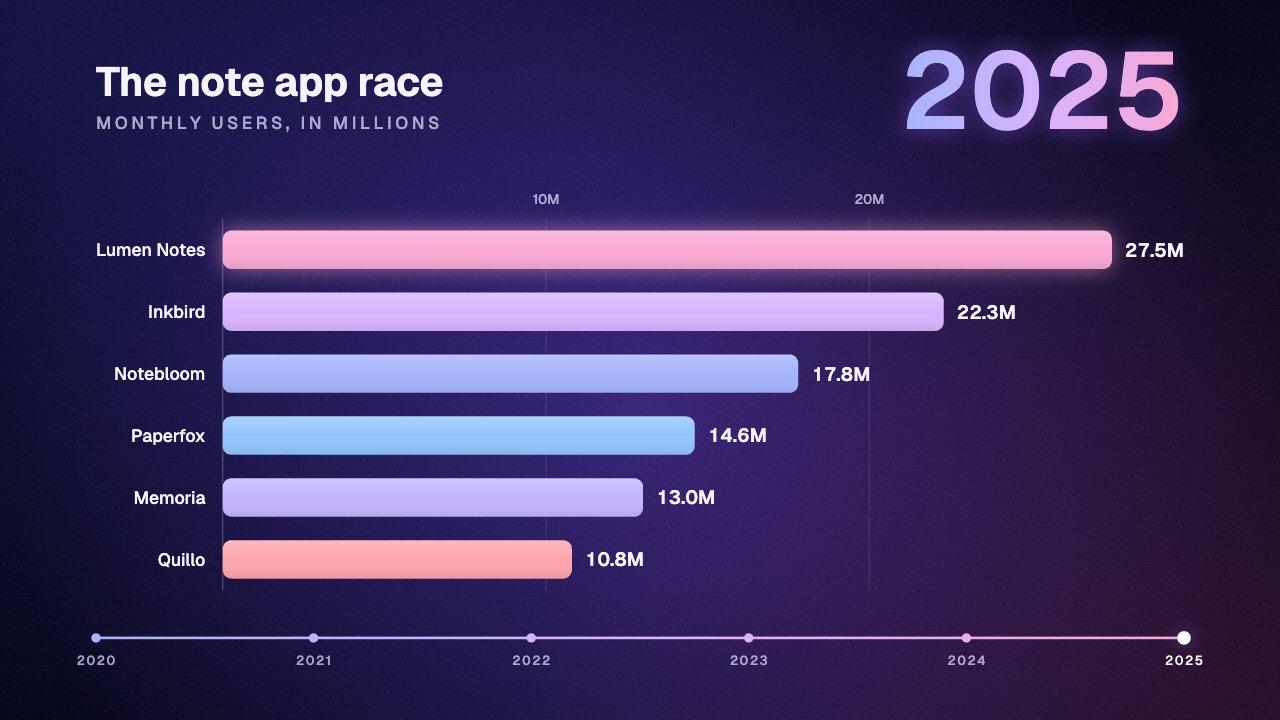
This one opens on six players. Each row has a starting and a final points total; as the totals climb, rows that pass each other trade places, and the one moving up slides over the one it overtakes. Once the order settles, each row shows how many places it moved, and the leader gets an outline in the look's color.
The rows are ranked by points, highest first, and the board starts in the order of the starting points. So you only type the numbers: the order, and every swap along the way, follow from them.
To put it on your video, see how to add a scoreboard in CapCut, Premiere Pro, DaVinci Resolve and Final Cut Pro.
What you download
- Price
- Free. No sign-up, no email, no watermark.
- Format
- MP4 (H.264), no audio
- Resolution
- 1080p: 1080×1920, 1920×1080, 1080×1080 or 1080×1350
- Frame rate
- 30 or 60 fps
- Boards
- Two teams, or a leaderboard of 2 to 8 rows
- Scores
- 0 to 999 per team; leaderboard points up to 999,999
- Styles
- Card, or a broadcast-style bar at the top left, top or bottom
- Timing
- The score changes over 1 to 20 seconds, then rests 0.5 to 6 seconds
- Colors
- Six looks, a color per team, or any score, text and background color
- Overlay
- Green background for chroma key
- Where it runs
- In your browser. Nothing is uploaded.
How it works
How to make a leaderboard animation.
Four steps, about a minute, and nothing to install.
1
Name the teams
Type each team's name and a code of up to four letters, and pick its color. Or switch Board to Leaderboard and type up to eight rows instead.
2
Set the scores
Give each side a score to start from and one to end on, anywhere from 0 to 999. Add a status such as Final or 2nd half.
3
Pick a style and the timing
Card for a big score in the middle of the frame, Bar for an overlay along the top or bottom. Then how long the score takes to change and how long it rests on the result.
4
Download the MP4
Press Download. The video is rendered in your browser at 1080p and saved to your device. No account, no watermark.
More versions
Make a different one.
Each one opens its own maker with the settings filled in. Change anything, then download.
When a scoreboard isn’t enough
The free scoreboard is the starting point.
Here you get a clean scoreboard on a background. In Rescroll you describe the graphic you actually want — “when I say the final whistle went, put our 3–2 win in the corner with both crests and flash our side” — and it's designed from scratch on your own video. Attach your logos or a screenshot of your channel's style and it matches them. Not right yet? Ask for the change in the chat.
Free scoreboard
Rescroll
A scoreboard in your colors
Any design you can describe, matched to your logos, fonts or a screenshot
A clip you overlay and key out yourself
Built on your own video, placed around you
You line up each point in your editor
Each point lands on the exact word you say
Change it with the settings here
Change anything by asking in the chat
Part of the Pro, Ultimate and Scale plans.
Both built in Rescroll from a description.
Questions
Leaderboard animation: your questions, answered.
How do I make a leaderboard animation?
How many rows can the leaderboard have?
How do the rows decide when to swap?
Can points go down on the leaderboard?
Can I use it for a quiz, a game night or a sales contest?
Is the scoreboard maker free?
What format and resolution is the video?
Can I get the scoreboard with a transparent background?
Is my video uploaded anywhere?
Can I use the scoreboard in client work, ads or monetized videos?
Can I match my brand, add my logo or change the design?
More free tools
Other graphics you can make here.
All free, all made in your browser, all without a watermark. See every free tool.
Keep reading
Where to go next.
Your next video,
edited like the top 1%.
Drop it in. Say what should appear. Read the plan, press Build, and export the finished video — no After Effects, no editor, no template.
Make your first graphicPart of Pro, Ultimate and Scale · Export is free · Failed builds are refunded