
Can ChatGPT Edit Videos? What It Can and Can't Do
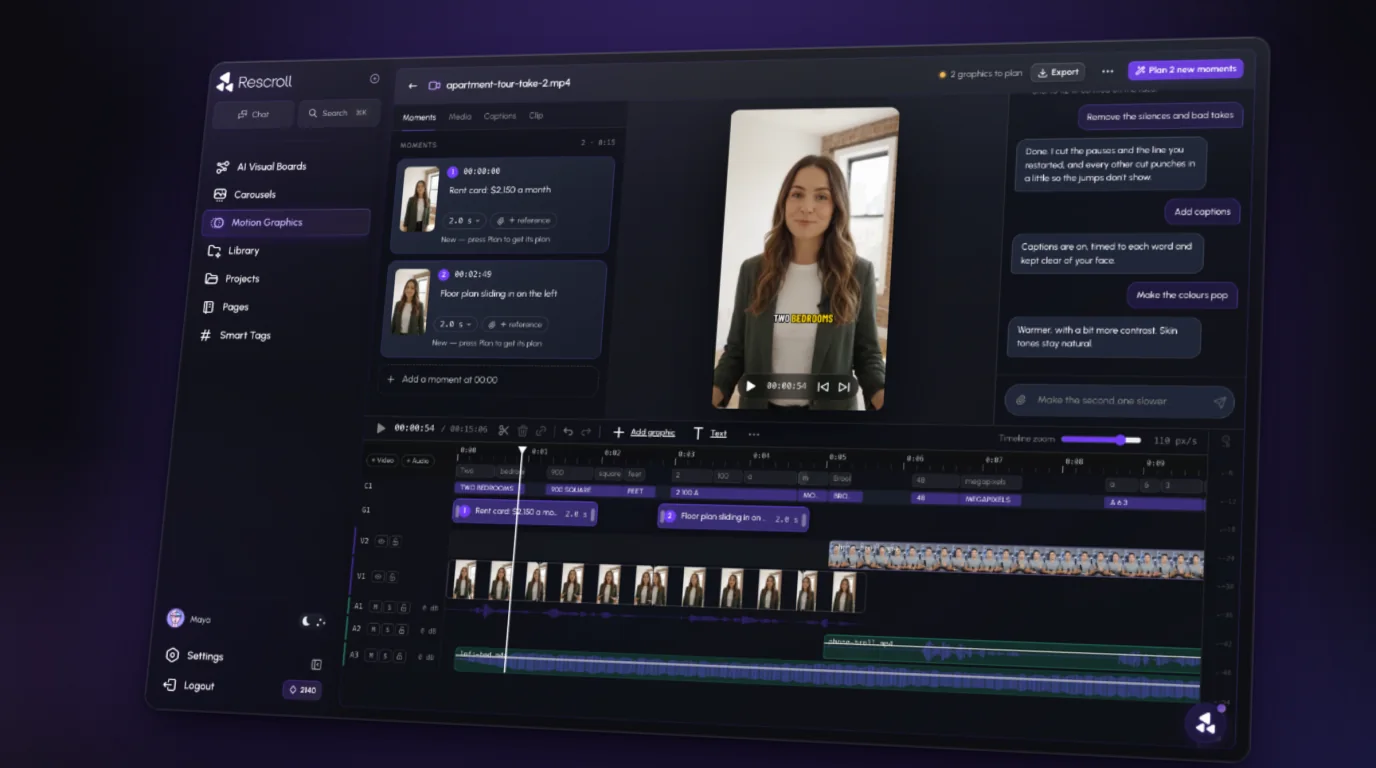
Short answer: not on its own. ChatGPT can plan an edit, write your script and captions, and tell you where to cut, but it can't take your raw footage and hand back a finished, edited video by itself. For that it needs an actual editor, either connected through a plugin or used directly.
Here's what it can and can't do, as of November 2026.
What ChatGPT is good for
ChatGPT is a strong assistant to editing. Paste in a transcript and it can:
- Plan the cut. "Which parts of this transcript can I drop without losing the point?"
- Write the words. Hooks, scripts, on-screen text, captions, titles, descriptions.
- Give you timestamps. "List the moments where I restart a sentence."
- Suggest structure. Where a graphic, a B-roll shot or a punch-in would help.
That's useful prep. But every one of those still ends with you doing the edit in another app.
What it can't do by itself
- It can't make the cuts. Plain ChatGPT has no timeline, so it can't remove your silences or cut your bad takes for you.
- Uploading video is hit or miss. Video isn't on OpenAI's list of supported file types, and a video link doesn't work at all. (Here's what happens when you try.)
- It can't watch a link. Paste a YouTube, TikTok or Reel link and it reads the page, not the video. See can ChatGPT watch YouTube videos and can ChatGPT watch TikTok videos.
- It no longer generates video. OpenAI shut down the Sora app and web experience on April 26, 2026, and the Sora API on September 24, 2026.
What about plugins?
This is where "can ChatGPT edit videos" gets a "sort of."
In August 2026, Adobe launched Adobe for ChatGPT, one plugin that brings in tools from apps including Premiere. You add it from Plugins in ChatGPT, then type "@Adobe" in a chat. Adobe's own example for video: turn a long video into a highlight reel and adapt it for YouTube Shorts, Instagram Reels and other platforms. For anything advanced, Adobe points you back to its full apps.
So with a plugin, ChatGPT can direct simple jobs that another tool carries out. What it's not built for is the detailed, back-and-forth edit of a talking-head video: every pause, every restart, captions timed to each word, a grade that fits your footage, punch-ins on the right lines.
What to use instead
If you want to edit by describing the edit, which is what most people searching this actually want, use an AI video editor that works on your footage and takes instructions in a chat. That's what's called vibe editing.
The short way: Rescroll's AI video editor. Drop in your raw take, open the chat on the clip and type what should change:
- "Remove the silences and bad takes."
- "Add captions."
- "Make the colors pop."
- "Punch in on the key lines."
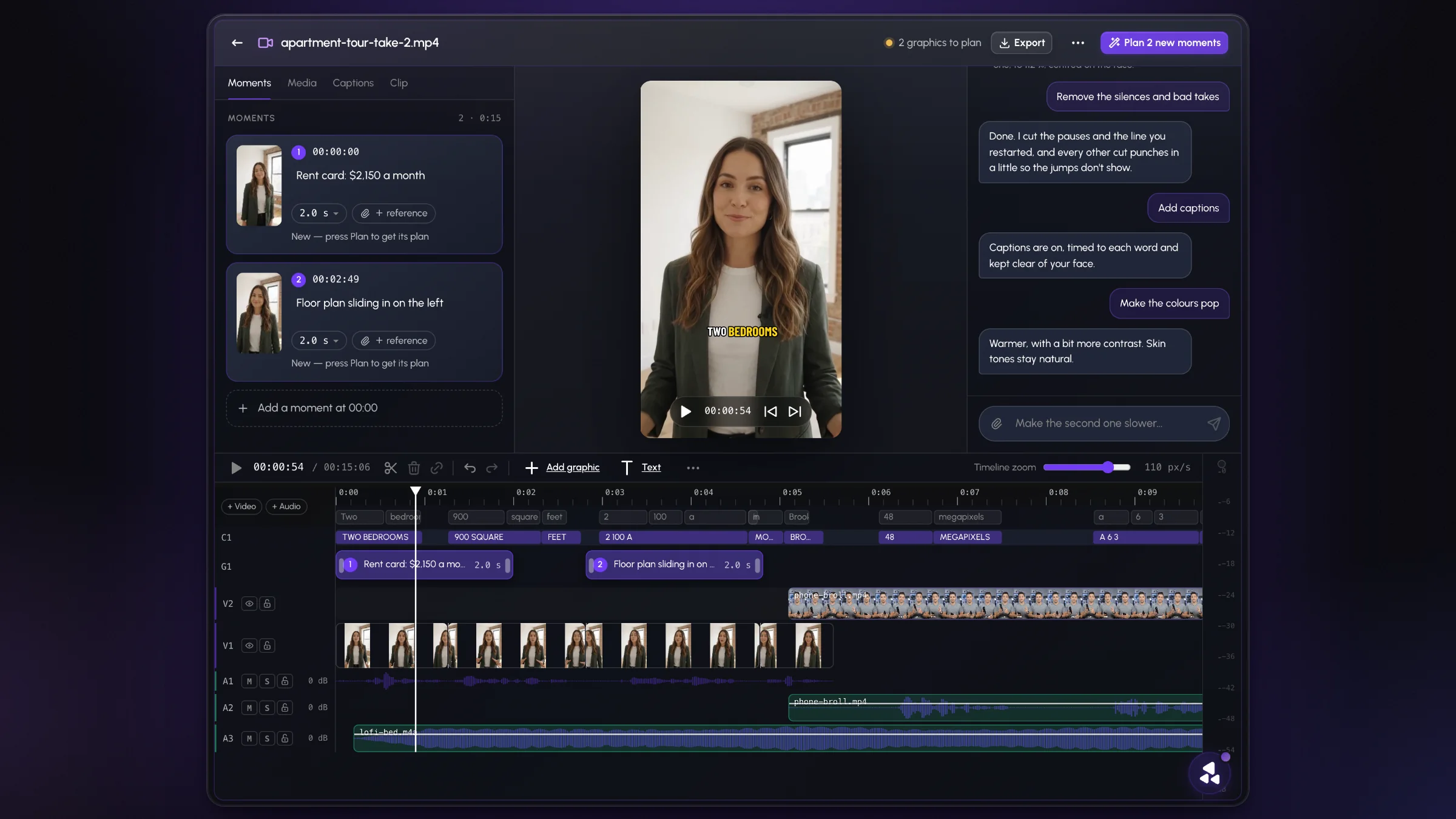
Each edit is made on your own video, and you change anything the same way: "keep the pause before the punchline," "make the captions bigger." When it looks right, export a finished MP4 with your original audio. It runs in Chrome or Edge on a computer.
You can still use ChatGPT for the script. Just let an editor do the editing.
The bottom line
| Job | ChatGPT alone | ChatGPT + plugin | AI video editor |
|---|---|---|---|
| Plan the edit, write the words | Yes | Yes | Yes, or use ChatGPT |
| Cut silences and bad takes | No | Depends on the plugin | Yes |
| Word-timed captions on your video | No | Depends on the plugin | Yes |
| Change one thing by asking | No | Depends on the plugin | Yes |
Want the full walkthrough? Here's how to edit a video with AI, step by step.